
Ever wondered whether someone tried to unlock your phone while you were away? Unauthorized phone access can put your private messages, photos, and accounts at risk. QTrace originally introduced an unauthorized unlock alert feature that aimed to capture a photo and email device location details after a failed unlock attempt. Today, smartphone security also includes stronger screen locks, built-in theft protection, and device recovery tools.
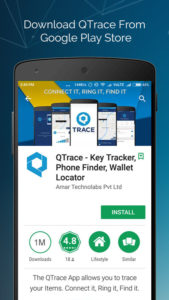
Why Smartphone Security Matters Today
Smartphones now hold everything from work emails to payment apps. Therefore, protecting your device requires more than choosing an easy-to-remember PIN. Use a strong PIN or password, enable biometric authentication where available, and keep your phone updated. Also, hide sensitive notification content on your lock screen. These steps help protect your information when you leave your phone at home, at work, or in a public place.
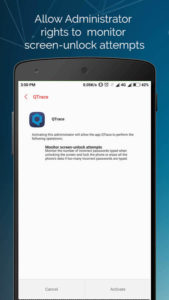
How QTrace Unauthorized Unlock Alerts Worked
QTrace’s original Unauthorized Unlock Access feature focused on alerting owners when someone entered an incorrect screen-lock password. However, a failed attempt does not always indicate suspicious activity; you might mistype your own PIN. Modern Android devices also offer built-in protection. For example, Android theft protection includes Failed Authentication Lock on supported devices, which locks the screen after repeated failed authentication attempts. Feature availability varies by device and software version.
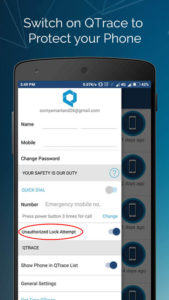
Unauthorized Phone Access and Lost Device Tracking
Unauthorized phone access means someone attempts to use your device without your permission. QTrace’s earlier description combined failed unlock alerts with mobile location tracking through a registered account. For current device recovery, Google’s Find Hub can help you locate, secure, or erase a lost Android phone when the relevant requirements are met. Set up your recovery options before you lose your device, and check that you can access your account from another device.
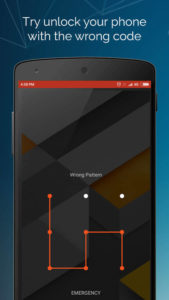
QTrace Permissions and Android Compatibility
QTrace’s original setup required users to activate device administrator access for its unauthorized unlock feature. Before granting this access to any app, review the permissions and understand the controls it requests. Additionally, check whether the app supports your current Android version. Administrator access alone does not guarantee that photo capture, location tracking, or email alerts will work on every phone. If you already use QTrace, test its alerts on your own device before relying on them.
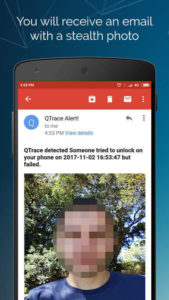
Photo Alerts and Email Account Security
The original QTrace walkthrough described sending captured photos to the user’s registered email address rather than displaying them inside the app. If your installed version supports this feature, verify the email address and check whether test alerts arrive. Furthermore, protect that email account with a strong password and two-step verification. QTrace’s current availability, advertising policy, and compatibility remain unverified, so confirm these details before installing or recommending it.
What to Do If Your Phone Goes Missing
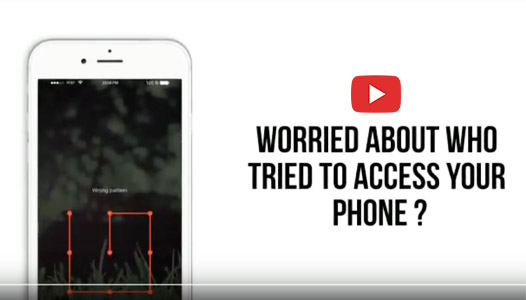
The original QTrace feature aimed to combine a front-camera photo with device location information after an incorrect unlock attempt. However, a photo or location report cannot guarantee identification or recovery. If your phone goes missing, use your available recovery tools to locate and secure it. If you suspect theft, contact the police and your mobile network provider rather than confronting anyone yourself. For stronger everyday protection, combine a secure screen lock, software updates, account security, and supported Android theft protection features.

