
Losing your smartphone can disrupt your day and put your personal information at risk. Fortunately, modern phone-finding services and tracking apps can help you locate a missing device, protect your data, and decide what to do next. This guide explains how to track a lost mobile phone in 2026 using available tools and practical safety steps.
How to Track a Lost Mobile Phone
If you want to track a lost mobile phone, start with simple steps before trying more advanced options. Call your number, check the phone’s last known location through an official service, and secure your accounts if you suspect theft.
1. How to Track a Lost Mobile Phone by Calling It
Call your mobile number from another phone. If your smartphone is nearby, you may hear it ring. You can also send a text message with an alternate contact number so that someone who finds it can reach you.
If the phone is switched off, out of battery, or outside network coverage, a call may not connect. In that case, try an official device-finding service.
2. Track a Lost Mobile Phone with Google Find Hub
Android users can use Google’s Find Hub service to check the location of a compatible device, play a sound, or secure it when supported settings allow these actions.
- Open Google Find Hub in a browser or use its supported app.
- Sign in with the Google Account linked to the missing phone.
- Select the device you want to locate.
- Check the available location information and choose an appropriate action.
- If you cannot recover the device, consider securing it or erasing its data when necessary.
The available features depend on the phone’s settings, battery, connectivity, and account configuration. Location information may show a recent or last known location rather than the phone’s current position.
3. Find a Lost Mobile Phone Using Contact Information
If someone finds your phone, clear contact information can help them return it. If your device supports a lock-screen message or lost-device contact option, add an alternate phone number or email address that you can access.
Avoid displaying sensitive information such as your home address, passwords, or banking details on the lock screen.
4. Track a Lost Mobile Phone with a Tracking App
A tracking app may provide additional tools for finding a misplaced device, sharing selected profile information, or contacting someone who has found it. Before relying on any app, review its current features, permissions, privacy policy, and compatibility with your phone.
When you need to track a lost mobile phone, choose a service that explains how it handles location data and what settings you must enable before the phone goes missing. No app can guarantee recovery in every situation.
Discover QTrace for Mobile Tracking
QTrace is a mobile application you can explore for phone-related tracking and recovery features. Review the current app details to confirm which tools are available for your device and how to configure them before you need them.
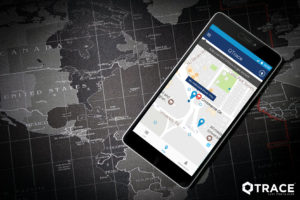
To learn more, visit the QTrace app listing on Google Play. Check the listing for current compatibility, permissions, and feature information before installing the app.
Explore QTrace Through Its Web App
You can visit the QTrace web app to review the available web-based features. Follow the service’s current instructions to determine whether it supports your device and the action you want to perform.
Review Available Calling and Profile-Sharing Features
Depending on the current version and configuration, QTrace may offer features related to calling or sharing profile information. Check the app’s current documentation and settings to understand how each feature works and what information it shares.
Set up any required permissions and recovery options in advance. A tracking app cannot reliably help you recover a phone if you have not configured the relevant features or if the service does not support your device.
What to Do If Your Phone Is Lost or Stolen
If you cannot find your smartphone, act quickly to protect your information. These steps can reduce the risk of unauthorised access while you try to recover the device.
- Check its location: Use the official device-finding service associated with your phone.
- Lock the device: Use the available lost-device or remote-lock feature if supported.
- Protect your accounts: Change important passwords if you suspect someone may access them, and review account security settings.
- Contact your mobile provider: Ask about suspending your SIM or blocking it if necessary.
- Report suspected theft: Contact local police and provide your phone’s identifying details when available.
- Protect financial accounts: Contact your bank or payment provider if you think someone could access payment apps or financial information.
Prepare Your Phone Before You Lose It
A few simple preparations can make it easier to find or secure a missing device later.
- Enable the built-in device-finding service and review its settings.
- Keep your Google or Apple account recovery information up to date.
- Use a strong screen lock and enable available security protections.
- Back up important photos, contacts, and files regularly.
- Keep your IMEI number and purchase details somewhere safe.
- Review the permissions and recovery features of any tracking app you install.
Conclusion
To track a lost mobile phone in 2026, start by calling it and checking its location through an official device-finding service. You can also explore QTrace and other tracking tools after confirming their current features, compatibility, and privacy practices.
Most importantly, prepare your phone before it goes missing. Enable recovery options, protect your accounts, and act promptly if you suspect theft. These steps can improve your chances of locating your device and protecting the information stored on it.

