
Have you lost something during an Uber ride? Finding lost items in Uber, such as your phone, wallet, handbag, keys or luggage, can be stressful. Fortunately, you can take practical steps to contact your driver and improve your chances of recovering your belongings. You can also use preventive measures and compatible tracking devices to help keep important items easier to locate.
In this guide, we explain how to report lost property after an Uber trip, which belongings passengers commonly forget, and how QTrace can help you manage compatible valuables.
How to Find Lost Items in Uber
If you notice that an item is missing after leaving your Uber, act as soon as possible. First, check your belongings and confirm that you did not leave the item at your destination. If it is still missing, use Uber’s official lost-item support process.
- Open the Uber app: Sign in to the account you used to book the trip.
- Find your trip: Open your trip history and select the ride during which you may have left your belongings.
- Open the help section: Look for the option to report a lost item or contact the driver.
- Follow the instructions: Use the available contact method to explain what you lost and arrange the next steps.
- Protect your personal information: If you lost a phone, wallet or other sensitive item, consider the appropriate steps to secure your accounts and payment methods.
For current instructions, visit Uber’s official guidance for contacting a driver about a lost item. Contact options and return arrangements may vary depending on your location and trip.
When contacting the driver, describe the item clearly. Include its colour, brand, approximate size and any distinctive features. These details can help the driver identify your belongings.
What Are the Most Common Lost Items in Uber?
Passengers can leave almost anything behind when they are in a hurry or distracted. Small items may slip between the seats, while larger belongings can remain in the boot or on the floor.

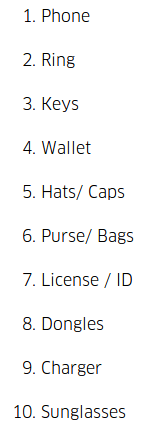
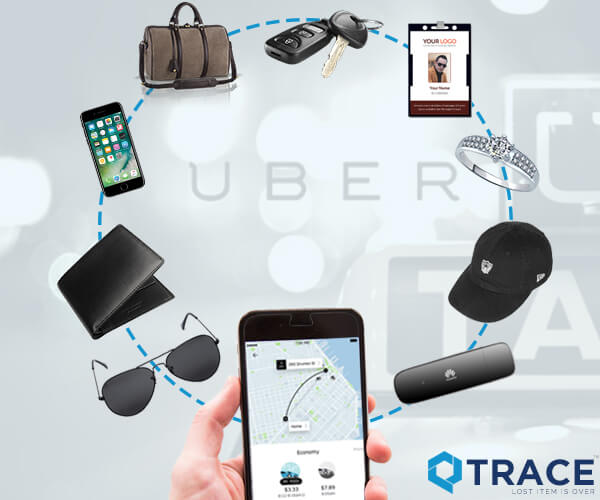
Common examples of belongings that passengers may forget include:
- Mobile phones: Phones can be left on seats, in door pockets or near charging points.
- Wallets and purses: These may fall out of pockets or remain inside a handbag.
- Handbags and backpacks: Passengers sometimes leave bags on the back seat or in the boot.
- Keys: House, office and vehicle keys can be difficult to replace.
- Luggage: Suitcases and travel bags may be overlooked when passengers leave quickly.
- Headphones and chargers: Small accessories can be easy to miss during a quick exit.
- Documents and personal items: Files, notebooks and other belongings may remain under a seat.
Before leaving any cab, take a moment to check the seat, floor, door pockets and boot. A quick inspection can prevent the inconvenience of reporting lost property later.
How to Prevent Lost Items in Uber Rides
Recovering missing belongings can take time. However, a few simple habits can reduce the risk of leaving important items behind during your next ride.
1. Check Your Seat Before Exiting
Before opening the door, look around your seat and the floor. Check underneath the seat, inside door pockets and in the boot if you placed luggage there.
2. Keep Essential Items Together
Store your phone, wallet and keys in a dedicated pocket or compartment. Keeping these essentials together makes it easier to check that you have everything before leaving the vehicle.
3. Set a Reminder When You Reach Your Destination
A simple reminder on your phone can prompt you to check your belongings before exiting. This habit is particularly useful when travelling to airports, offices, hotels or busy public places.
4. Consider a Compatible Tracking Device
A tracking device may help you locate certain belongings, depending on its technology, range, connectivity and operating conditions. Before buying one, check whether it supports the items you want to monitor and how its location information is provided.
5. Review Your Belongings After Every Trip
Make a short mental checklist before leaving a vehicle: phone, wallet, keys, bag and any shopping or luggage. This routine takes only a few seconds and can save you considerable time.
Why Losing Personal Belongings Is a Problem
Losing an item during a cab ride is more than a minor inconvenience. Depending on what you left behind, it may cause unexpected expenses, delays and concerns about privacy.
- Replacement costs: Replacing a phone, wallet, keys or luggage can be expensive.
- Lost time: Contacting support and coordinating the return may interrupt your schedule.
- Privacy concerns: A lost phone or document may contain personal or confidential information.
- Travel disruption: Missing luggage, identification or essential medication can complicate a journey.
- Security risks: Lost payment cards, keys and unlocked devices may require immediate protective action.
If a phone is missing, use the device manufacturer’s official service to locate or secure it where available. If your wallet is lost, consider contacting your bank to freeze or block payment cards. For missing keys, assess whether your home, office or vehicle security needs attention.
How QTrace Helps You Track Your Belongings
QTrace offers a way to help users keep track of compatible belongings using its supported tracking solutions. Depending on the device and how it operates, a tracking solution may help you check location information or make it easier to find an item.
For passengers concerned about losing important belongings during cab rides, planning ahead can be useful. You can learn more about the service on the official QTrace website.
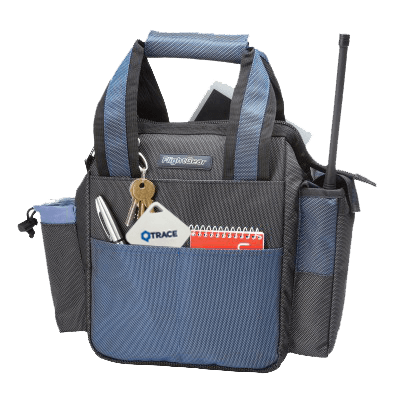
Before relying on a tracking solution, review the product’s supported features, setup requirements, connectivity, operating range and limitations. A tracking device does not guarantee that every lost item can be located or recovered.
How to Use QTrace Before Your Next Uber Ride
Preparation is more effective than trying to solve a problem after your belongings go missing. Follow these steps before travelling:
- Review compatibility: Confirm that your belongings and tracking device are supported by the QTrace solution you intend to use.
- Complete the setup: Follow the product’s instructions to connect and configure the supported device.
- Check the available features: Understand how the device reports location or other tracking information and what conditions it requires.
- Keep your phone ready: Make sure you can access the relevant app or service when needed.
- Check your belongings before exiting: Use tracking as an additional precaution, not as a replacement for checking the vehicle.
To understand the setup process, visit How QTrace works. You can also check the QTrace app listing on Google Play for current app information and availability.
Can You Track Lost Items Beyond Uber Rides?
Yes, preventive tracking can be useful in many everyday situations, provided the tracking device supports the intended use. People may want to keep track of their belongings while travelling, commuting, shopping or moving between home and work.
Examples of items you may want to keep track of include:
- Travel bags and luggage
- Handbags and backpacks
- Keys and other everyday essentials
- Personal belongings carried to work or college
- Other compatible valuables supported by the tracking solution
Remember that tracking capabilities differ between devices. Check the product specifications before attaching a tracker to an item, and do not assume that every device offers continuous GPS tracking or works without connectivity.
Final Tips for Recovering Lost Items in Uber
Finding lost items in Uber becomes easier to manage when you respond quickly and follow the correct process. Check the vehicle, review your trip in the Uber app and contact the driver through the official support options. Provide a clear description of the missing item and follow the instructions for arranging its return.
At the same time, build simple habits to protect your belongings. Keep essential items together, inspect your seat before exiting and consider a compatible tracking solution for valuables you frequently carry.
QTrace can be part of your preparation when its supported features match your needs. Learn more at QTrace and review the product details before relying on any tracking device.
Frequently Asked Questions
What should I do first if I leave something in an Uber?
Open the Uber app, select the relevant trip and follow the available lost-item support instructions to contact the driver. Act as soon as possible and describe the item clearly.
Can I contact my Uber driver about a lost item?
Uber provides a process for reporting lost belongings and contacting a driver where the option is available. Visit Uber’s official Help Centre for the current instructions in your location.
Which items are commonly forgotten in cabs?
Common examples include mobile phones, wallets, keys, handbags, backpacks, luggage, headphones and chargers. Checking the seat, floor and boot before leaving can help prevent these situations.
Can QTrace help me find belongings left in an Uber?
QTrace may help with compatible belongings when the device and service support the required tracking function and operating conditions. It cannot guarantee recovery, and it does not replace contacting the driver or Uber support.
How can I avoid losing my belongings during a cab ride?
Keep your essentials together, set a reminder to check your belongings, inspect the vehicle before exiting and consider a compatible tracking device for suitable valuables.

